Apple Developer API & App Store Connect API: Getting Started
The App Store Connect API lets you manage apps, metadata, TestFlight testers, and financial reports programmatically — without touching the web UI. Here’s the basic access setup and JWT authorization.
How authorization works
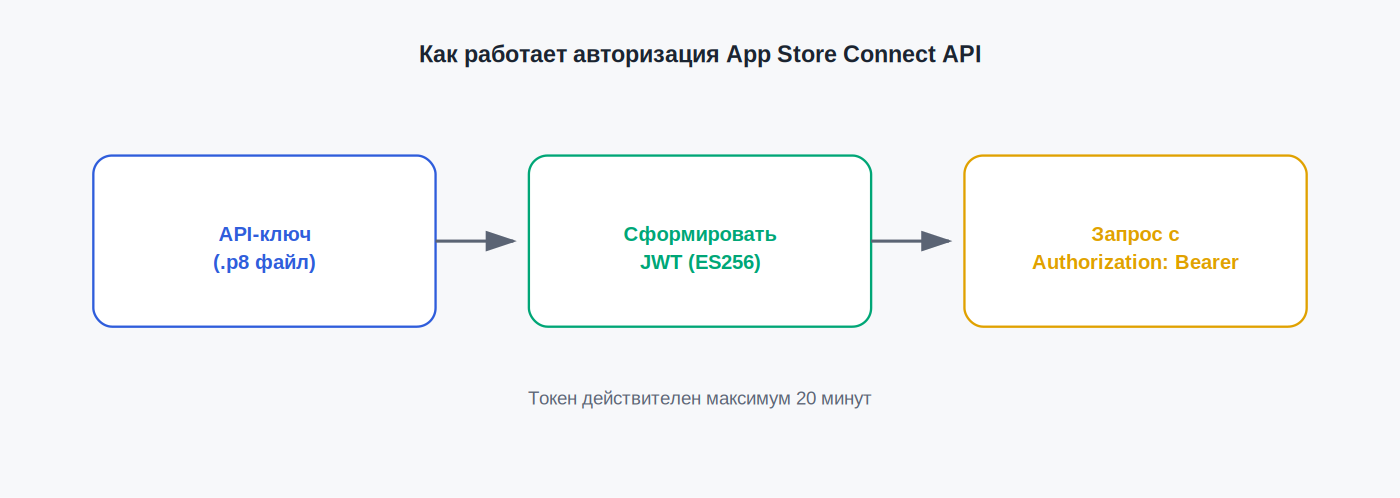
Unlike a simple single-string API key, App Store Connect API uses a more layered scheme:
- API key — a pair consisting of a public part (kept by Apple) and a private key (a
.p8file you download once). - JSON Web Token (JWT) — a token you generate and sign with your private key before each request, valid for a limited window (max 20 minutes).
Every API request needs a fresh JWT in the Authorization: Bearer header.
Step 1: Create an API key
- Sign in to App Store Connect → Users and Access → Integrations (or Keys, depending on the interface version).
- Click “Generate API Key” (or “+”).
- Name the key and choose an access role — this determines what the key can do, similar to regular user roles.
- Download the
.p8file — this is your only chance to download the private key; it can’t be reissued. - Note the Key ID and Issuer ID, shown on the key’s page — you’ll need both to build your JWT.
Step 2: Build the JWT
Building the token requires three values:
- Issuer ID — your App Store Connect team’s identifier;
- Key ID — the specific key’s identifier;
- Private Key — the contents of the
.p8file.
The token is signed with ES256 and must include:
header: { "alg": "ES256", "kid": "<Key ID>", "typ": "JWT" }
payload: {
  "iss": "<Issuer ID>",
  "iat": <current time as a Unix timestamp>,
  "exp": <expiration, max +20 minutes from iat>,
  "aud": "appstoreconnect-v1"
}
Building a JWT by hand is impractical — in practice, developers use existing libraries (jsonwebtoken for Node.js, PyJWT for Python, equivalents for Java/Ruby) or tools like fastlane, which handle token generation from the three values above.
Step 3: Make your first request
With a valid JWT, a request is a standard REST call:
GET https://api.appstoreconnect.apple.com/v1/apps
Authorization: Bearer <your JWT>
A successful response returns the list of apps available to the role assigned to your API key.
Common errors
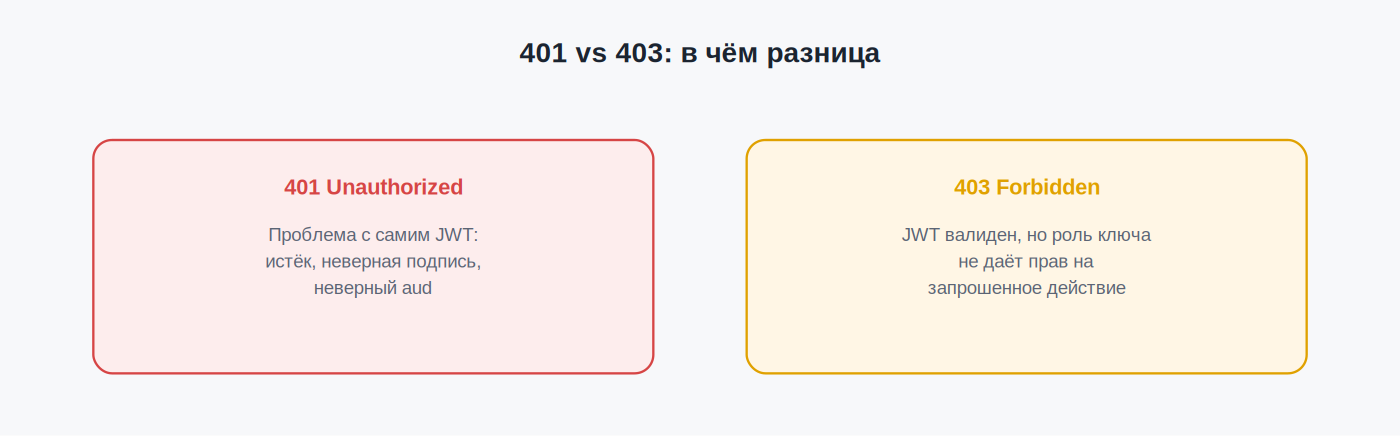
401 Unauthorized
- Check that
expin the payload isn’t more than 20 minutes pastiat— Apple rejects longer-lived tokens. - Make sure
audis set exactly toappstoreconnect-v1. - Double-check you haven’t swapped Issuer ID and Key ID when building the token.
- Confirm the signature uses ES256, not another algorithm.
403 Forbidden
Usually means a role problem — the requested action is outside the permissions assigned when the API key was created. Fix it by creating a new key with a broader role, or adjusting your app’s logic to fit the current permissions.
The key works but can’t see provisioning-related data
For certificate and profile operations, it’s recommended to use a Team Key (a key with team-level, not individual-user, role) — some provisioning endpoints specifically require that access level.
Security practices
- Never commit the
.p8file to a public repository — use a secrets manager or CI/CD environment variables. - If a key may have been compromised, revoke it immediately in App Store Connect and create a new one — the old key stops working within seconds of revocation.
- Rotate keys periodically, especially ones with broad permissions used in automated pipelines.
FAQ
Do I pay separately to use the App Store Connect API?
No — API access is included with standard Apple Developer Program membership at $99/year.
Can I use one API key for multiple apps?
Yes, if the key’s role grants team-level access rather than being scoped to a specific app.
What if the .p8 private key gets lost after downloading?
You can’t re-download the same key — revoke it in App Store Connect and create a new one.
This article is independent and not affiliated with Apple Inc. For official documentation, see developer.apple.com/documentation/appstoreconnectapi.
Related: Certificates, Identifiers & Profiles: A Beginner’s Guide · How to Publish an App on the App Store: Step-by-Step · Developer Account Roles and Permissions Explained